
Buick Enclave: Second Row Seats. Third Row Seats. Heated and Ventilated Seats
Second Row Seats
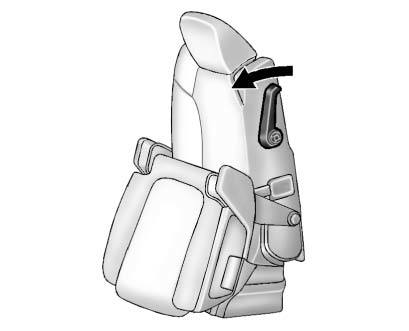
The second row seat can be folded and moved forward to provide easier access to the third row. In the Buick Enclave, pulling the sliding seat lever forward folds the seat cushion and allows the seat to slide ahead.
See Rear Seats.
Third Row Seats
The third row seatbacks can be folded forward, and the seats can also be removed when additional cargo space is needed.
To fold the third row seatback:
1. Remove all items from on top of the seat and from the floor area beneath it.
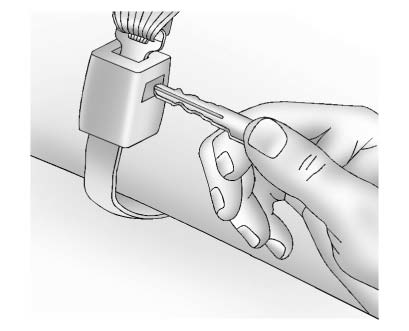
2. Disconnect the rear safety belt mini-latch using a key in the slot on the mini-buckle, and allow the belt to retract into the headliner.
Place the mini-latch securely in the holder located in the headliner.
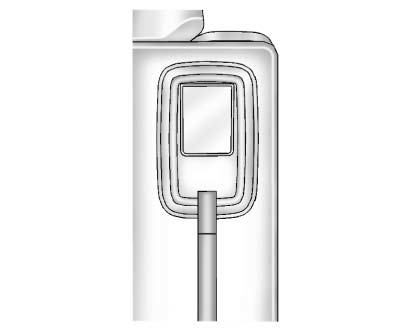
3. Pull up on the release lever on the back of the seat.
4. Push the seatback forward until it lies flat.
See Third Row Seats for more information.
Heated and Ventilated Seats
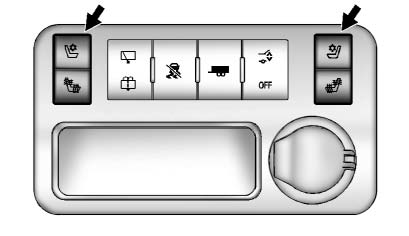
Heated and Cooled Seat Buttons Shown, Heated Seat Buttons Similar
If equipped, the heated and ventilated seat buttons are located on the center console. The engine must be running for these comfort features to operate.
 : If available, press to heat the
seatback only.
: If available, press to heat the
seatback only.
 : If available, press to cool the
entire seat.
: If available, press to cool the
entire seat.
 : Press to heat the seat and seatback.
Press the button once for the highest setting. Each additional press changes the seat to the next lower level, and then to the off setting. The indicator lights show the selected level: three lights for the highest setting and one light for the lowest.
See Heated and Ventilated Front Seats for more information.
For best comfort in the Buick Enclave, allow the climate system and seat heating or ventilation functions to work together for a few minutes, especially during very cold or hot weather.
